AI tools can now turn a written description into a few seconds of moving picture, give a character a voice, and score a scene. That puts a short film within reach of one person with a laptop. But the tools don’t make the film for you. The films that work still come from the same things they always have: a clear idea, a written script, deliberate shots, careful editing, and good sound. This guide walks you through all of it, step by step, along with the tools worth knowing and the rights questions to settle before you share your film.
What counts as an “AI film”?
There’s a wide range, and it helps to know where your project sits, because festivals and platforms often ask:
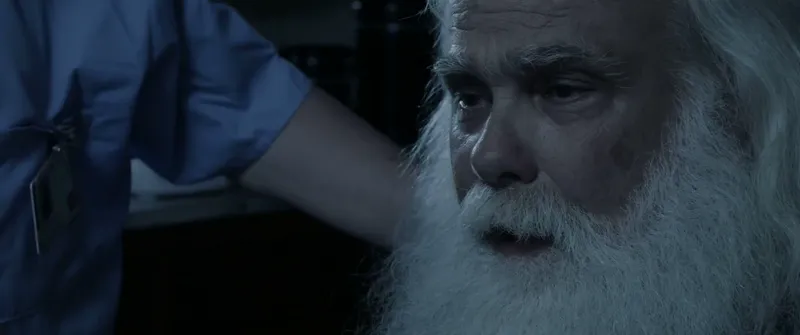
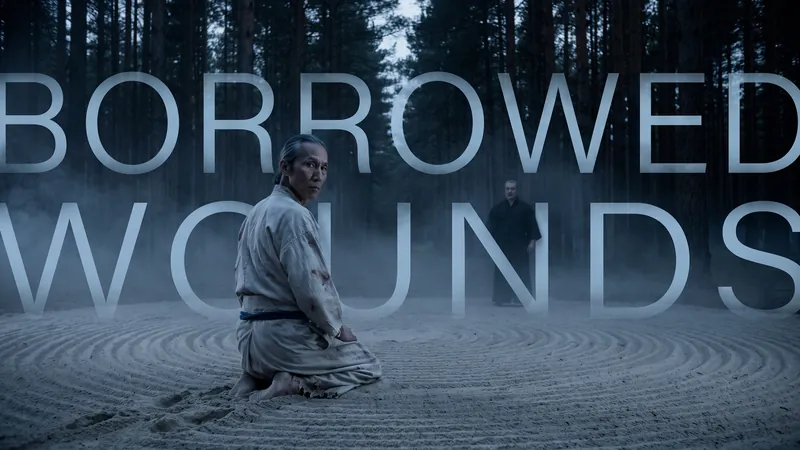
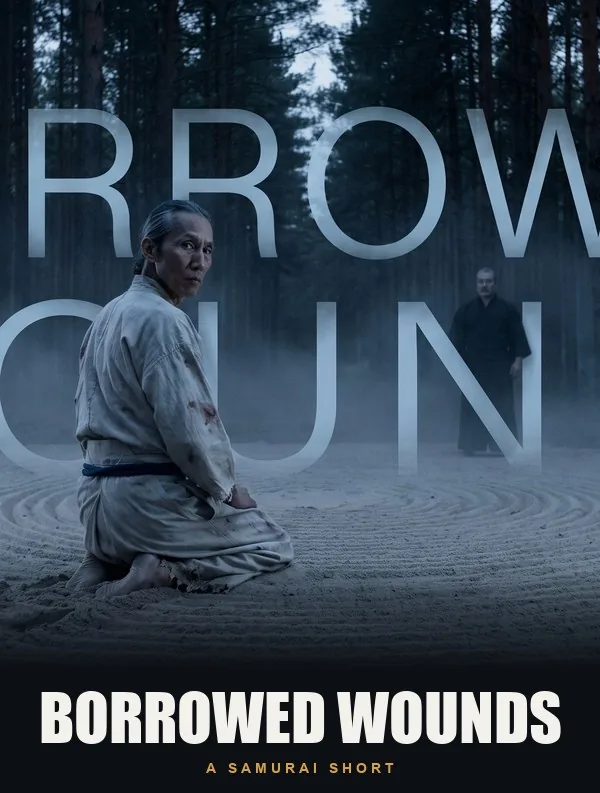
- AI-generated: the pictures (and often the voices and music) come out of AI models. The filmmaker writes, designs, directs, selects, and edits. Borrowed Wounds is one: its end credits say every frame, voice, and note was generated with AI, but Jeff Zambrano designed every character, costume, location, and prop and storyboarded the film shot by shot before generating it, and Luis F. Aguilar edited, graded, and mixed it.
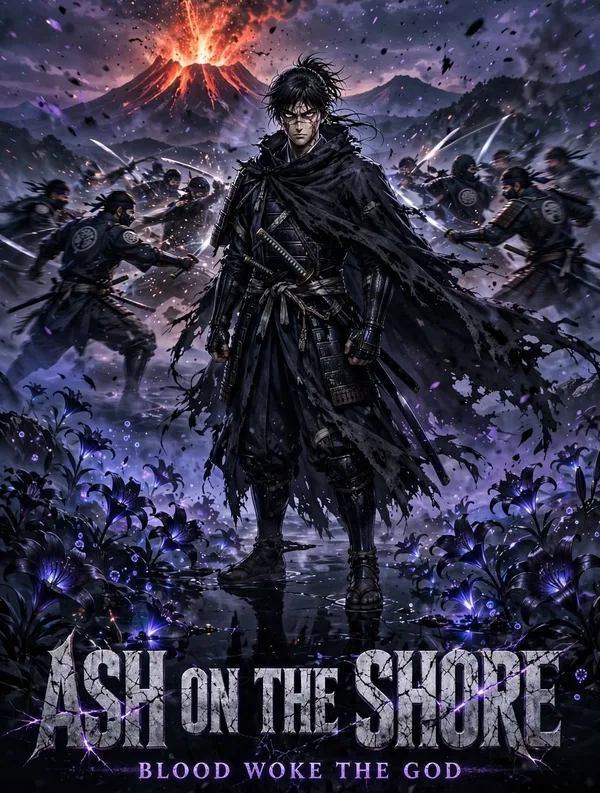
- AI-assisted: AI is one tool among others. Ash on the Shore was made with AI tools under Shane Freeman’s direction, from his own ink artwork and screenplay, with synthetic character voices and an original score.
- AI in the finishing: a live-action or animated film that uses AI for one job, such as cleaning up noisy audio, removing an object from a shot, or upscaling old footage.
Both films are on IFN, labeled so viewers know how they were made. Watch them before you start; they show how much of an AI film is still old-fashioned filmmaking.
What AI is good at, and what it isn’t (yet)
Knowing the limits up front saves you weeks of frustration, and it shapes the kind of story you should write.
- Good at: atmosphere and spectacle (landscapes, weather, light, fantasy worlds), single striking images, short shots with one simple action, stylized looks such as ink, painting, or anime, and building a world you could never afford to film.
- Still hard: keeping the same character looking the same from shot to shot, hands and fine motion, two characters physically interacting, readable text and signs, long continuous takes, and lip-sync that holds up in a close-up.
So write to the strengths. Stories told through images, mood, and a voice-over or a few lines of dialogue work better than a dialogue-heavy scene between four people around a table. Myths, dreams, memories, and genre worlds (samurai, sci-fi, horror, fairy tale) are popular for a reason.
The toolkit: what to use for each job
Tools change fast. This list is current as of November 2026; for example, OpenAI shut down its Sora video app earlier in 2026, so tutorials built around it are out of date. Most tools have a free tier to learn on, but free tiers often add a watermark or limit what you may do with the results (see Rights below), so check the plan before you make anything you want to show.
Writing and planning
Any general AI assistant (Claude, ChatGPT, Gemini, and others) can help you brainstorm, find holes in a plot, or turn a script into a shot list. Use it as a sounding board, not a ghostwriter: the script is where most of your authorship lives, and it’s the part of the film you can most clearly call your own. For the basics of the craft, see our guide to writing a screenplay and planning your scenes.
Images: designing your look and characters
Most AI films start as still images: a style frame that sets the look, then reference images of each character and location. Image generators include Midjourney, Adobe Firefly, and the image models inside Google’s Flow. Many video tools can then animate a still image (“image to video”), which gives you far more control than describing a shot from scratch.
Video generation
- Google Flow (Veo models): Google’s filmmaking workspace, built around its Veo video models, with tools to extend shots, control the camera, and manage a project’s characters and scenes. Veo is widely praised for realism and can generate sound with the picture. Higher limits and features come with Google’s paid AI plans.
- Runway: a long-standing creative suite with video generation plus editing tools that change existing footage (video to video). Runway’s help center says you keep ownership of what you make on any of its plans, including the free one, though free exports are watermarked.
- Kling: often recommended as the budget choice for quality per dollar.
- Luma Dream Machine: another popular generator, with image-to-video and camera controls.
- Adobe Firefly Video: Adobe says its video models are trained only on content it has permission to use, such as licensed Adobe Stock, openly licensed, and public domain material. That matters to some festivals, clients, and insurers.
Voices
Text-to-speech tools such as ElevenLabs can voice your characters or a narrator in many languages, and can direct the delivery (whispered, angry, tired). Lock one voice per character, as Ash on the Shore did, so a character doesn’t drift between scenes. Never clone a real person’s voice without their written permission; see Rights.
Music and sound effects
AI music generators such as Suno can produce a score, but check the plan: Suno’s terms give commercial-use rights only for songs made on a paid plan, and some other music tools don’t allow commercial use at all. Alternatives that are often better for a film: a composer friend, music under a license that allows it (read our guide to the public domain before assuming anything is free), or simple sound design built from effects libraries.
Editing and finishing
You still need an editor. DaVinci Resolve is free and used on professional films; CapCut is quick for short pieces; Premiere Pro and Final Cut Pro are paid options. Resolve also handles color grading and sound mixing, so one free program can take you from first cut to final file. Upscaling tools can sharpen generated clips to 1080p or 4K for the final export.
The workflow, step by step
- Start small. Aim for one to three minutes. A short film that’s finished teaches you more than a feature that isn’t, and many festivals have categories for very short films.
- Write the script yourself. One location or world, one or two characters, one clear change from beginning to end. Write it in screenplay format so you can count it: about one page per minute of screen time.
- Build a style bible. Before generating a single shot, make three to five style frames that define the look: palette, lighting, lens, texture, era. Write down the exact style words that produced them; you’ll reuse them in every prompt.
- Design your characters and places. Make a reference sheet for each character (front, side, full body, a few expressions) and each main location. These images are what you’ll feed the video tool to keep things consistent.
- Make a shot list or storyboard. Break every scene into shots: shot size, angle, camera move, action, and length. Stick figures are fine. This is the step most beginners skip, and it’s the one that makes a film feel directed instead of generated.
- Generate the shots. Work shot by shot from your list, starting from your reference images where the tool allows. Generate several takes of each, as a director would on set, and keep the best.
- Edit. Assemble the best takes in order, then cut hard. Most generated clips have a good second or two in the middle; use only that. Reaction shots and cutaways cover continuity problems.
- Do the sound. Add dialogue or narration, then room tone, footsteps, wind, doors, and music. Sound is where many AI films feel cheap and where a little care pays off most.
- Grade and finish. Match the color between shots so they feel like one film, upscale if needed, add titles and end credits, and export a high-quality master (for example 1080p or 4K, H.264 or ProRes).
- Credit and disclose. Say in the credits how the film was made and which tools you used. Keep your project files and notes; you may need them later.
How to write a shot prompt
A good prompt reads like a line from a shot list, not a wish. Describe one shot, with one action, in plain language, in roughly this order:
- Shot size and angle: wide shot, medium shot, close-up, extreme close-up; eye level, low angle, overhead.
- Subject: who or what, using the same description every time (or your reference image).
- Action: one simple thing that happens in the shot.
- Setting and time: where and when, including weather.
- Camera: static, slow push in, pan left, handheld, tracking alongside; and a lens feel, such as wide 24mm or long 85mm.
- Light and style: from your style bible: soft overcast light, hard sunset backlight, film grain, ink wash, muted greens.
For example:
Medium close-up, eye level. An old fisherman in a yellow raincoat (see reference) slowly lifts his head and looks out to sea. A storm-dark harbor at dusk, rain blowing sideways. Static camera, 50mm lens feel. Cold blue light with a warm lantern glow on his face, light film grain, muted colors.
Notice what it leaves out: no plot, no feelings the camera can’t see, no second action. If you want him to stand up and walk away, that’s the next shot.
Camera words worth learning
- Wide / establishing shot: shows the place; use it to start a scene.
- Medium shot: waist up; the workhorse for action and dialogue.
- Close-up: a face or an object; where emotion lives.
- Insert: a detail, like a hand on a door handle; great for hiding continuity problems.
- Push in / pull out: the camera moves toward or away from the subject, raising or releasing tension.
- Pan / tilt: the camera turns left-right or up-down from a fixed spot.
- Tracking shot: the camera travels alongside a moving subject.
- Shallow depth of field: the subject sharp, the background soft; it reads as “cinematic.”
Keeping characters consistent
- Use reference images, not just words. Most current tools let you attach a character or start frame.
- Give each character a short, fixed description (“a tall woman, 30s, cropped silver hair, long green coat”) and paste it, unchanged, into every prompt.
- Keep costumes simple and distinctive. One strong color or shape survives better than fine patterns.
- Favor shots where small differences don’t show: silhouettes, backs, hands, wide shots, and close-ups in shadow.
- Lock the voice. One voice per character for the whole film.
Fixing the usual problems
- Morphing or melting faces and hands: trim the clip before it happens, or cut to an insert or a reaction shot.
- A character changes between shots: regenerate from the reference image, or cut on movement so the eye doesn’t catch it.
- Unreadable text and signs: avoid them in the frame, or add text afterwards in your editor.
- Lip-sync looks off: play dialogue over a wider shot, an over-the-shoulder shot, or a listener’s reaction instead of a tight close-up.
- Everything looks the same: vary your shot sizes deliberately (wide, medium, close) the way a cinematographer would.
- It feels flat: it’s usually the sound. Add ambience under every shot and let sound carry over cuts.
Rights: who owns an AI film, and what to avoid
This part isn’t legal advice, and the law is still developing, but these are the questions every AI filmmaker should be able to answer before sharing a film.
Can you copyright it?
In the United States, copyright protects human authorship. In its January 2025 report on AI and copyrightability, the U.S. Copyright Office concluded that prompts alone don’t give enough human control to make you the author of what a model outputs, but that your own human contributions can be protected: your script, your own artwork, and your creative selection, arrangement, and editing of the material. Two practical takeaways: put as much of yourself into the film as you can (the writing, the design, the edit), and keep records of your process, such as drafts, reference art, prompt notes, and project files.
Read each tool’s terms
Check, for each tool you use: whether your plan allows commercial use, whether exports are watermarked, and who owns the output. Rights often depend on the plan you were on when you made something, not the plan you have later. Screenshot the terms page on the day you make your film.
Don’t use real people, voices, or other people’s characters
- Real people: don’t generate recognizable real people, including celebrities, without permission.
- Voices: don’t clone anyone’s voice without written consent. Voice tools ban it in their policies, and some places now protect a person’s voice by law, such as Tennessee’s ELVIS Act.
- Characters, brands, and logos: leave out other people’s characters, trademarks, and famous designs.
- Music: use only music you made, commissioned, or have a license for. A platform’s commercial license isn’t a guarantee that a generated track doesn’t sound too close to an existing song.
Disclose it
Festivals set their own rules on AI: some welcome AI films, some have separate categories, and some don’t accept them. Read each festival’s rules before you pay a fee, and say plainly how your film was made. Our guide to choosing film festivals explains how to read entry rules, and the IFN festival directory lists festivals and their deadlines.
Try it: a one-minute film in six shots
Here’s a weekend exercise that teaches you the whole process. Story: someone waits for something that doesn’t come.
- Wide shot: the place where they wait (a bus stop, a dock, a rooftop), with weather.
- Medium shot: the character arrives and sits.
- Insert: something they’re holding (a letter, a ticket, flowers).
- Close-up: they look up, hopeful, toward a sound.
- Wide shot: what they see (nothing, or something else entirely).
- Close-up: their reaction. Hold it. Cut to black.
Design the character first, generate several takes of each shot, cut it to about 60 seconds, and spend as long on the sound as you did on the pictures. Then show it to someone and watch their face.
Share your film
IFN welcomes AI-made and AI-assisted films. Submission is free, every film is reviewed by a person, and if we show your film, we note how it was made on its page so viewers know what they’re watching. You keep ownership; IFN’s agreement is non-exclusive. Submit your film to IFN, and browse the New & Next collection to see other films made with new tools. Want to learn the 3D route too? Our Blender guide starts from zero.
Sources: U.S. Copyright Office, Copyright and Artificial Intelligence, Part 2: Copyrightability (January 2025); Runway usage rights; Google Flow; Adobe’s Firefly training-data statements; Suno’s and ElevenLabs’ published terms and usage policies; reporting by Engadget on the end of Sora. Checked November 10, 2026. Film details are from each film’s page on IFN.